How I Used ChatGPT to Design a Print-Ready Postcard in 6 Minutes: An AI Marketing Case Study
A real-world test of AI postcard design: using one prompt, one website and one mailing template.
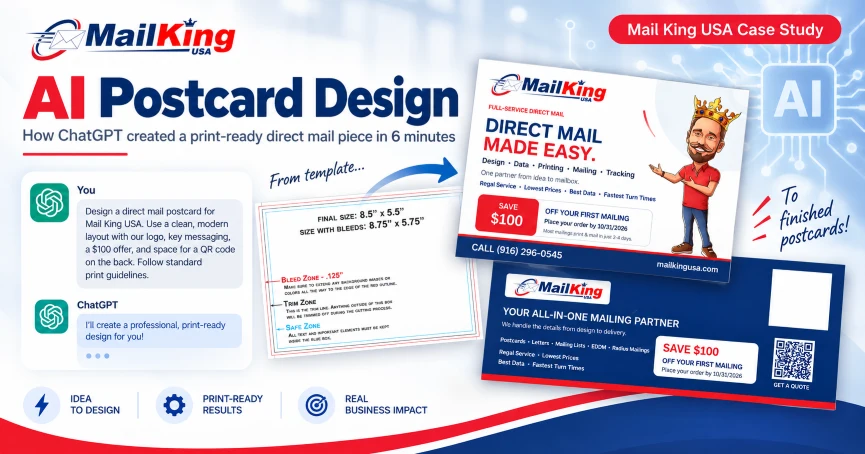
The experiment: an uploaded mailing template, followed by an AI-created front and back postcard design.
Artificial intelligence is moving fast, and marketing is one of the areas where small and mid-sized businesses can benefit immediately. Instead of thinking about AI only as a tool for writing social posts or brainstorming headlines, I wanted to see how far it could go on a real production task: could ChatGPT take a direct mail template, visit a business website, pull the brand elements and selling points, create a two-sided postcard, respect postal layout requirements, and deliver a usable file for printing?
So I ran a simple test using Mail King USA as the business. The result surprised me. From the time I submitted the request until the finished files were returned, the entire process took 6 minutes and 6 seconds. The artwork was not perfect, but it was far beyond a rough concept. It was a workable postcard design, based on real company branding, delivered as a print-ready PDF that I could continue editing.
CASE STUDY RESULT: 6 minutes, 6 seconds from prompt to a usable two-sided postcard and print-ready PDF.
The AI Postcard Design Test
The assignment was intentionally simple. I did not provide a detailed creative brief. I uploaded our 5.5 x 8.5 postcard template and gave ChatGPT a short set of instructions. The template specified the finished size, bleed area, safe zone and the mailing-side restrictions that need to be respected for production.
Here was the request:
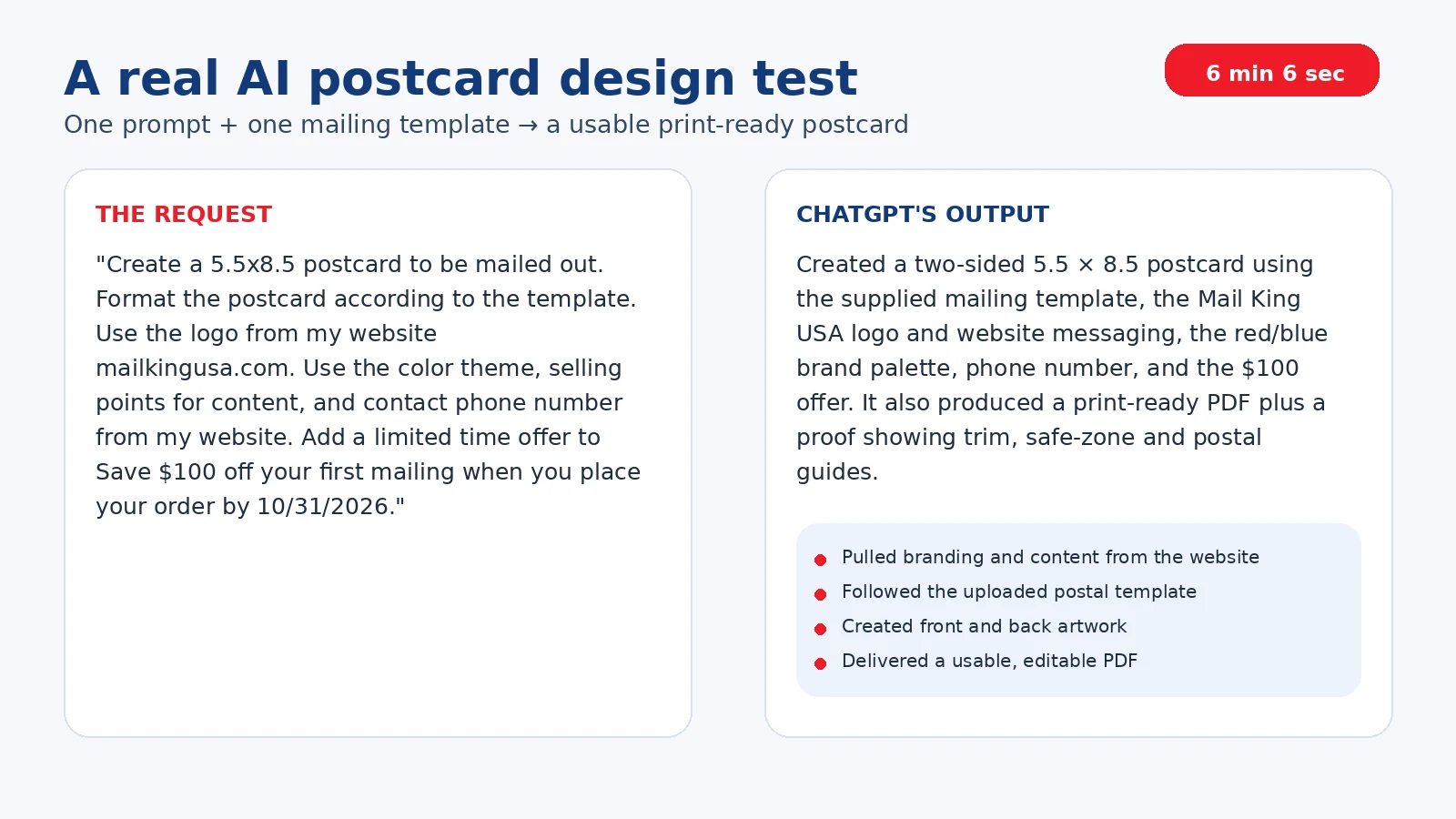
“Create a 5.5x8.5 postcard to be mailed out. Format the postcard according to the template. Use the logo from my website mailkingusa.com. Use the color theme, selling points for content, and contact phone number from my website. Add a limited time offer to Save $100 off your first mailing when you place your order by 10/31/2026.”
That was essentially it. I did not specify the exact headline, body copy, font family, layout, QR-code placement or design hierarchy. I also did not manually provide the Mail King USA logo, brand colors, phone number, QR code, or every service message. The AI had to gather much of that from the website and decide how to organize it.
What ChatGPT Had to Figure Out on Its Own
• Use the Mail King USA logo and red-and-blue brand palette.
• Pull useful selling points from the website, including the full-service “design to delivery” message and core value propositions.
• Include the correct contact phone number and website.
• Build a prominent limited-time $100 offer with the October 31, 2026 deadline.
• Create both a front and back design rather than only a visual mockup.
• Follow the supplied mailing template so the back left room for addressing, barcode and postage requirements.
• Export the finished piece at the correct 8.75 x 5.75-inch bleed size for a 5.5 x 8.5 finished postcard.
That last point matters. A postcard can look great on a screen and still be unusable for mailing if the design ignores trim, bleed, safe zones or postal clear areas. In this test, the AI was working from an actual production template rather than simply generating a pretty picture.
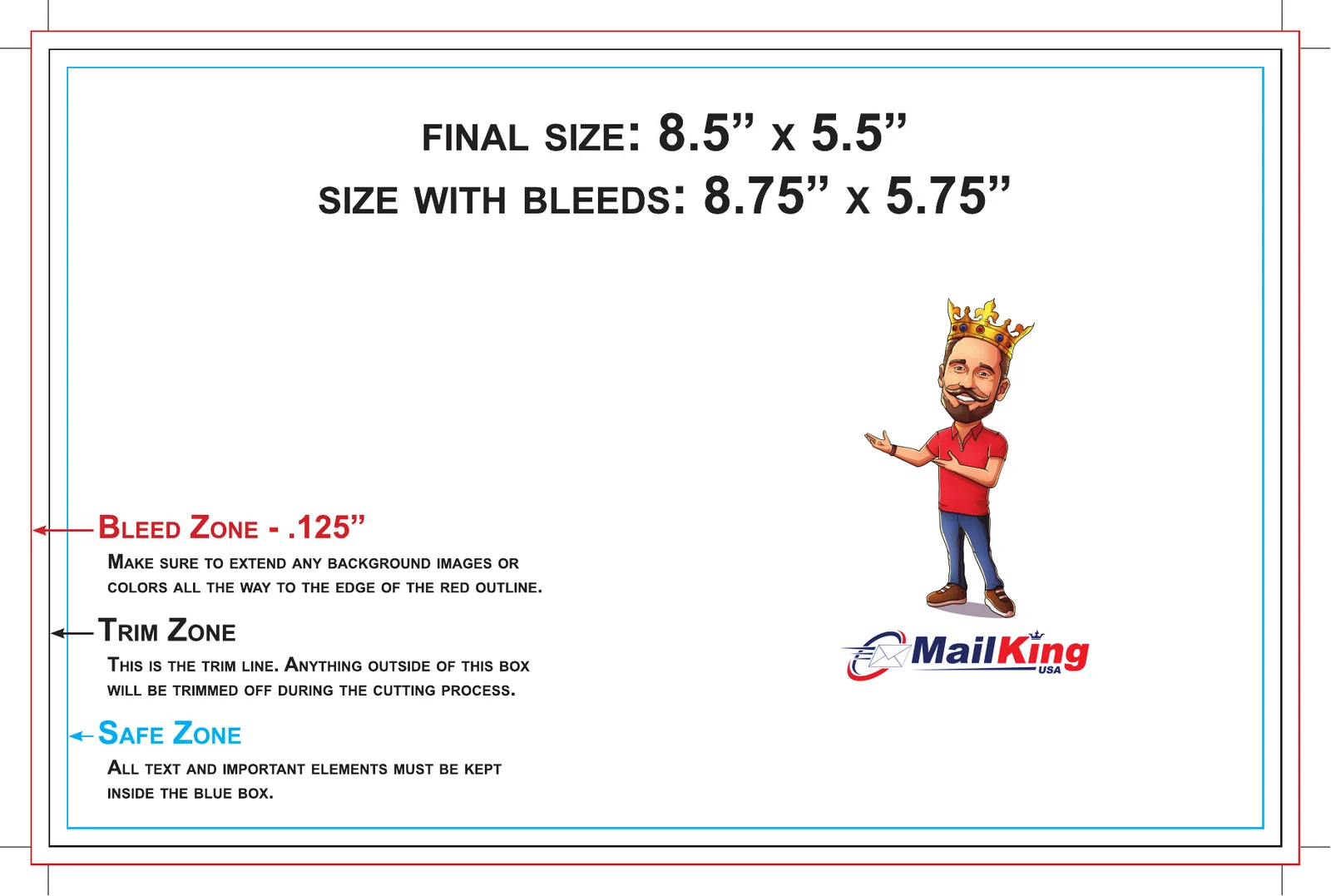
The uploaded front-side template showing final size, bleed, trim and safe zones.
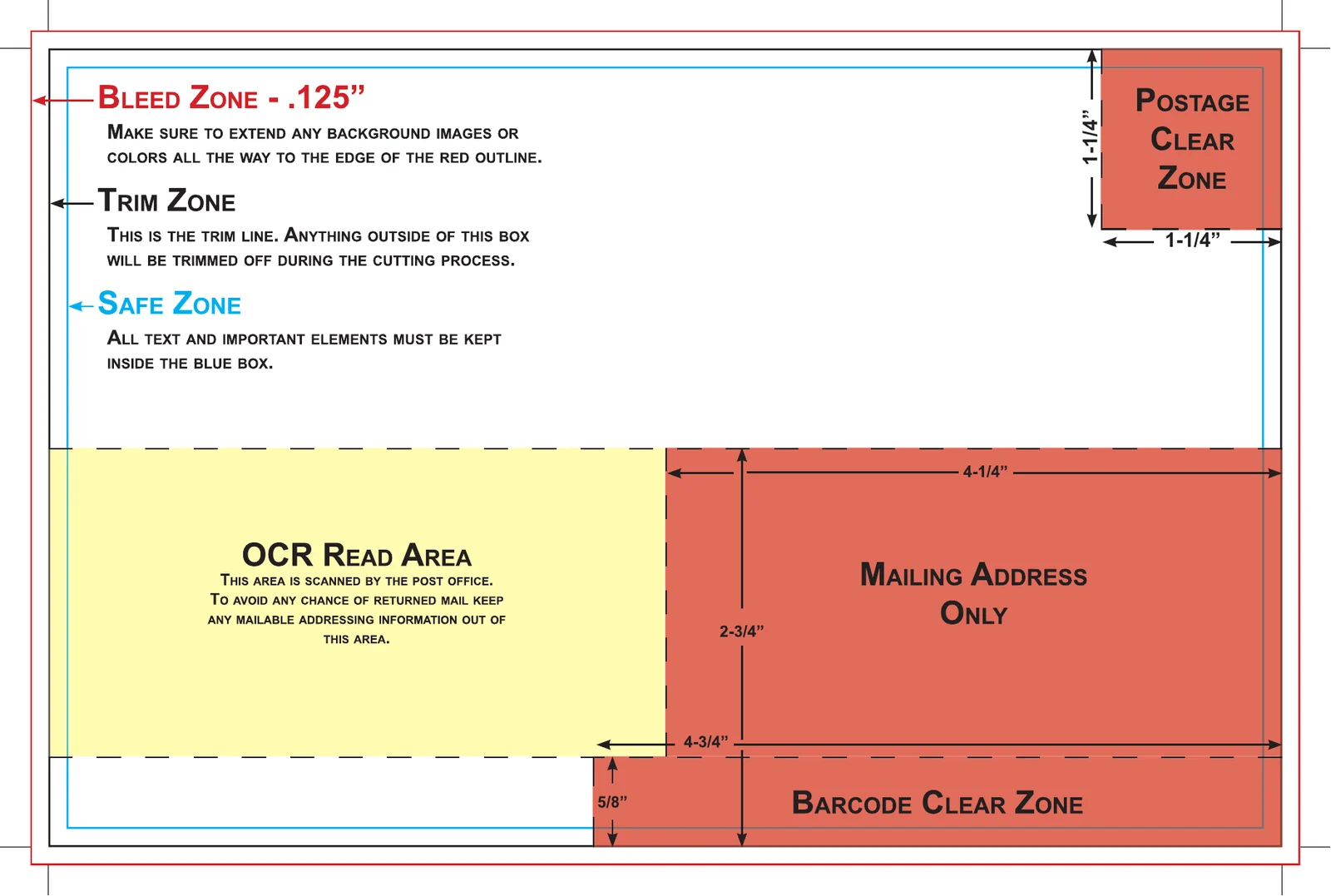
The mailing-side template identified the postage, address, OCR and barcode clear zones that the design needed to preserve.
What the AI Produced
The front side looked like a real Mail King USA marketing piece. It used the company logo, the mascot, the existing brand colors, a strong “Direct Mail Made Easy” message, service categories, key selling points and the $100 limited-time offer. It also pulled in the company phone number and website.
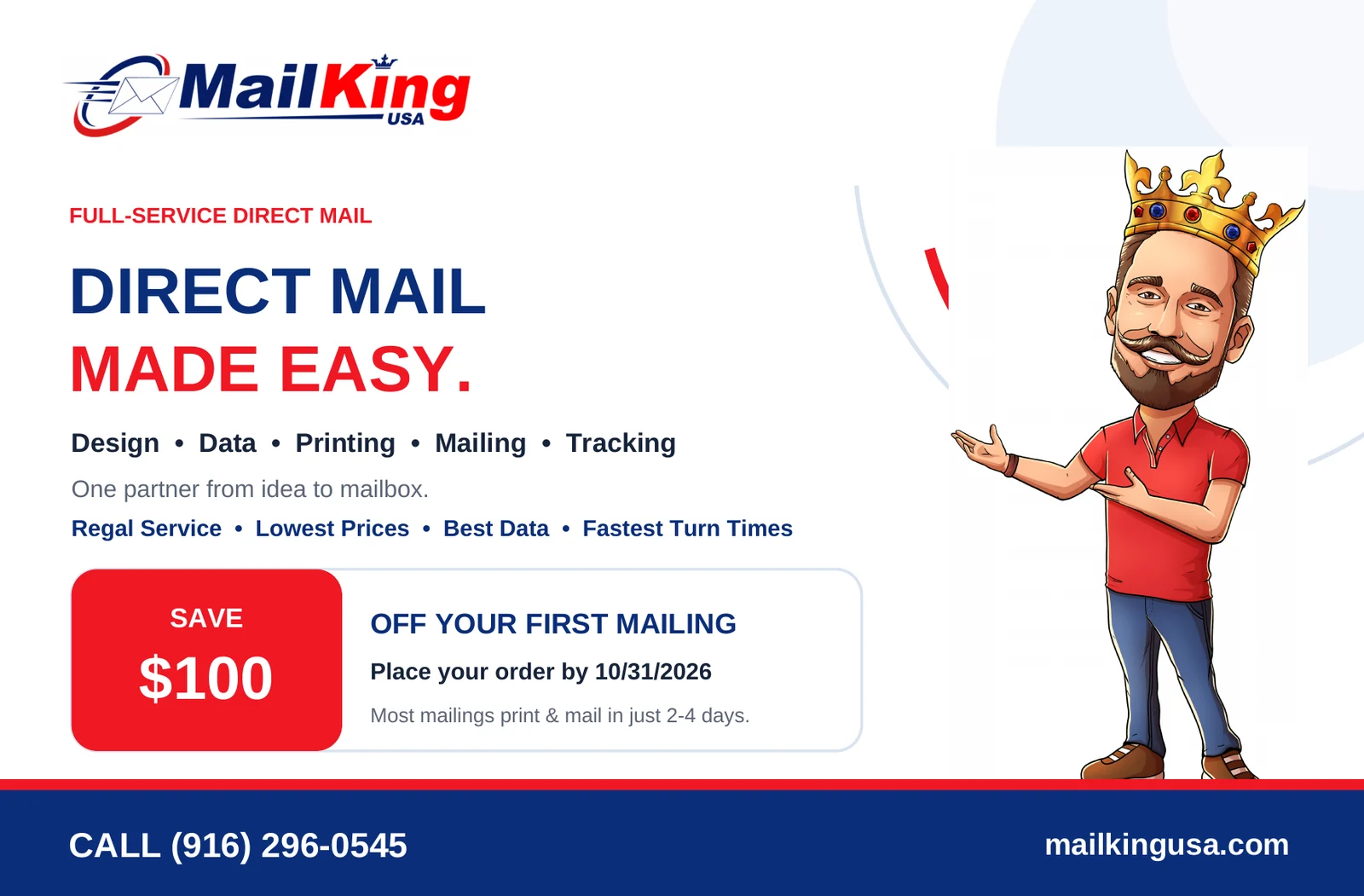
AI-created postcard front. The design used website content, branding and the requested “Save $100” offer.
The back side was designed around the mailing constraints. It reinforced the offer and core services while leaving the lower portion open for addressing and postal processing. It also included a QR code and a second call to action. The QR code was not provided. I was curious on this so I tested it and to my amazement, it actually worked! This means ChatGPT created and properly inserted a functioning QR code from scratch!
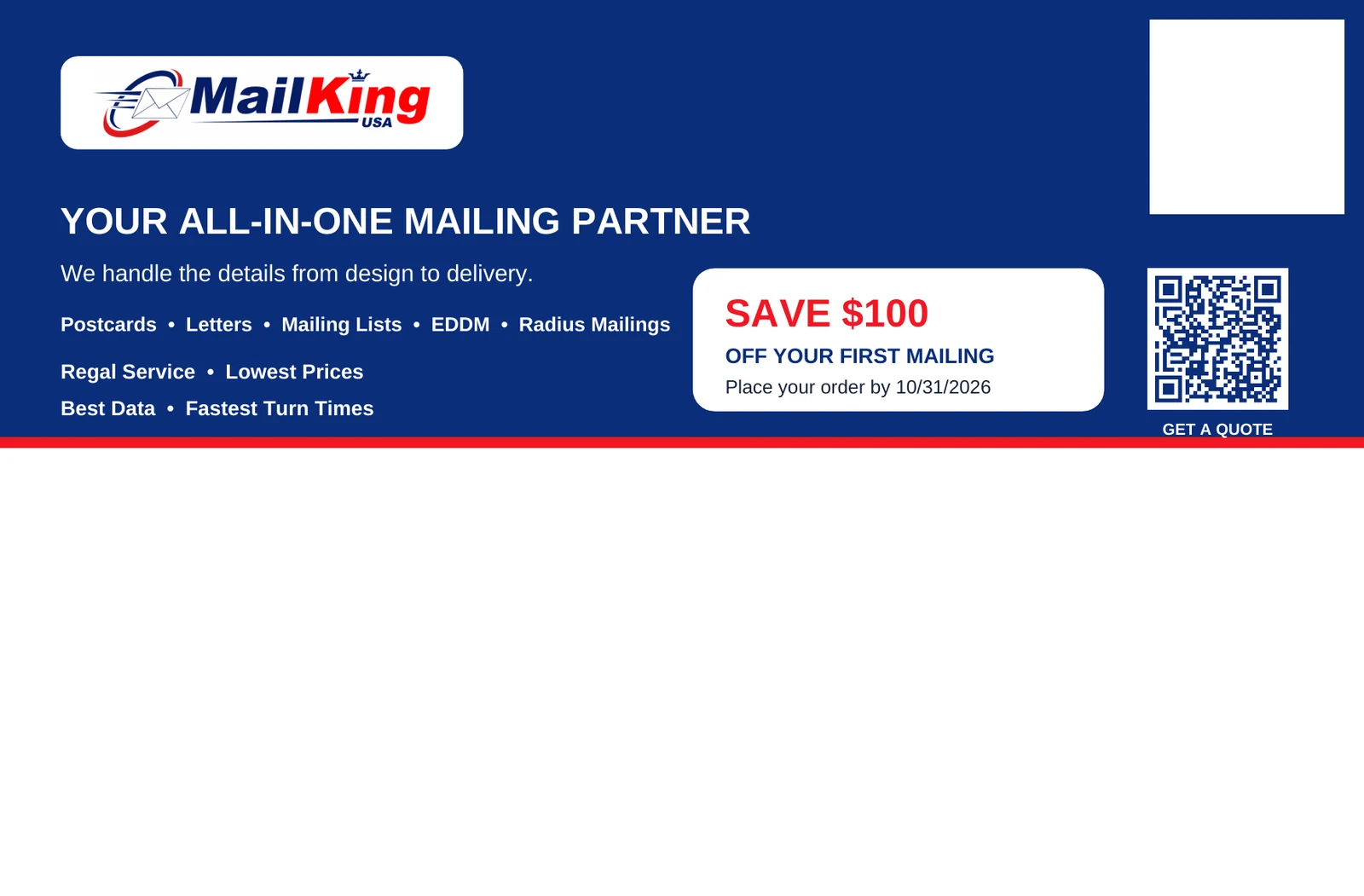
AI-created postcard back. The top carries the marketing message while the lower area remains available for mailing information.
What Impressed Me Most
The biggest takeaway was not that every design decision was perfect. It was how much useful work happened from very little input. ChatGPT was able to combine a production template with information from the company website, make design decisions, write copy, create an offer hierarchy and return finished files in just over six minutes....and a working QR code to top it off!
For a business owner or marketing team, that changes the economics of experimentation. You can create a first concept before a design meeting, generate several offer directions, test different headlines, adapt an existing mailer to a new promotion, or give a professional designer a much more developed starting point. The AI does not have to replace the designer to save time and money. It can simply eliminate the blank page.
It also produced a usable PDF rather than stopping at a concept image. That meant I could open the file in an editing workflow and make small refinements instead of rebuilding the postcard from scratch. This is a massive improvement from previous models that only output flat image files that are unworkable.
What Wasn't Perfect—and Why That Matters
The artwork still needed human review. There were design choices I would change, especially around typography and a few layout details. But that is an important part of this case study rather than a failure of it.
My original prompt said nothing about the exact fonts I wanted, the style of the headline, how formal or playful the piece should feel, or which existing Mail King designs it should resemble. When the creative brief is vague, the AI has to make assumptions. A better prompt would likely have produced a closer first draft.
That suggests a practical rule for AI marketing work: the quality of the output improves as the quality of the creative direction improves. Give the AI examples of designs you like, specify the font family, explain the target customer, define the single most important message, and tell it what must not change. You are still directing the project; AI simply makes the production much faster.
How Businesses Can Use AI to Create Postcard Designs
This test points to a very practical workflow for companies that want to experiment with AI postcard design. You do not need to start by asking AI to invent everything. Start with the business assets you already have and let the AI assemble them into a campaign.
- Upload the printer or mail house template so the AI knows the real production dimensions and postal restrictions.
- Give it your website and tell it which pages or messages should drive the design.
- Specify the audience, offer, deadline and primary call to action.
- Upload examples of your existing ads or postcards if you want the design to stay close to your current visual style.
- Ask for multiple headline or layout versions instead of treating the first draft as final.
- Review the final artwork for brand accuracy, spelling, offer terms, QR codes, postal clear zones and print specifications before production.
This approach works especially well for businesses that already have a clear brand and offer but do not want every marketing test to begin with a full custom design project.
A Better Prompt Would Probably Produce an Even Better Postcard
If I ran the same experiment again, I would add a few creative constraints up front. For example:
“Create a clean, professional 5.5 x 8.5 postcard using the attached mailing template. Use Mail King USA’s logo, brand colors and website content. Use a bold sans-serif font similar to our current website, keep the front focused on one main headline and the $100 offer, and use our mascot as a supporting visual rather than the dominant element. The audience is small-business owners who need direct mail but want the process to be simple. Emphasize that Mail King handles design, mailing lists, printing and mailing in one place. Use the phone number and website from mailkingusa.com. Offer: Save $100 off your first mailing when ordered by 10/31/2026. Create front and back artwork, follow all safe zones and postal clear areas, and export a print-ready PDF plus preview images.”
That extra detail would reduce guesswork while still leaving the AI plenty of room to design.
AI Is Becoming a Practical Marketing Production Tool
The larger lesson goes beyond postcards. AI is moving from “help me write something” toward “help me produce something.” That can include campaign concepts, ad variations, landing-page copy, social creative, direct mail layouts, offers, audience ideas and increasingly complete marketing assets.
ChatGPT is one tool worth testing, but businesses should also experiment with other general-purpose AI systems such as Google Gemini and Anthropic’s Claude. Different tools have different strengths and workflows, and the capabilities are changing quickly. The important thing is to start testing them on real marketing tasks rather than only asking hypothetical questions.
At Mail King USA, we have already written about the role of AI in direct mail marketing, including how AI can help with headlines, offers, targeting and campaign planning. This postcard experiment takes that idea one step further: AI can now help produce the actual mail piece, too.
AI Still Needs Direct Mail Expertise
There is an important distinction between creating artwork and running a successful direct mail campaign. The design still needs a strong offer, a good mailing list, correct postage setup, accurate addressing, production quality and a clear call to action. AI can accelerate the creative process, but it does not eliminate the value of direct mail experience.
That is why the strongest workflow may be AI plus human expertise. Use AI to generate ideas and accelerate production, then have an experienced marketer or mail professional review what matters before money is spent on printing and postage.
For additional guidance, see Mail King USA’s direct mail best practices, best direct mail postcard design tips and bulk postcard mailing services.
Final Verdict: Is AI Postcard Design Worth Trying?
Yes. Based on this test, I would absolutely recommend that businesses experiment with AI for postcard design and other marketing projects.
The first draft was not perfect, but perfection was not the most important result. In 6 minutes and 6 seconds, a short prompt and a mailing template became a branded, two-sided postcard with a real offer, website-derived content, postal layout considerations, preview images and a usable print-ready PDF. That is a tremendous amount of progress for six minutes of work.
And if the first version is 80 or 90 percent of the way there, a business owner, marketer or designer can spend the next few minutes improving it instead of spending the first few hours creating it. That may be one of the most valuable ways to think about AI in marketing right now: not as a magic button, but as a very fast creative partner that helps you get from an idea to something you can actually use.
Frequently Asked Questions About AI Postcard Design
Can AI design a direct mail postcard?
Yes. AI tools can help with headlines, offers, copy, layout concepts and—in some workflows—complete postcard artwork. For mailed pieces, always use the printer or mail house template and verify the final production file before printing.
Can ChatGPT create a print-ready postcard?
In this Mail King USA test, ChatGPT created front and back artwork and returned a two-page PDF at the correct 8.75 x 5.75-inch bleed size for the supplied 5.5 x 8.5 template. The file still benefited from human review and minor editing.
What should I give an AI before asking it to design a postcard?
Provide the production template, logo or website, target audience, main offer, deadline, call to action, preferred visual style and any examples you want it to follow. More specific direction usually reduces revisions.
Will AI replace graphic designers?
For many businesses, AI is more useful as an accelerator than a replacement. It can generate a strong first draft quickly, while a designer or marketer supplies judgment, brand consistency and production review. However, for some, maybe even many, AI tools will indeed replace designers and their services or at least should bring their costs down.
What AI tools should businesses try for marketing?
ChatGPT, Google Gemini and Anthropic’s Claude are all worth experimenting with for marketing workflows. The best choice depends on the task, the file types involved and how much visual production or editing the project requires